Every network has shadows. Shadow Detective is the detective who patrols them — and brings what’s hiding back into the light.
Your people bring their own AI to work now. Personal accounts. Browser tools. Apps nobody approved. It touches your documents, your messages, your customer data — and there’s no record of any of it. That gap has a cost. It has a scale:
When a breach traces back to AI nobody sanctioned, the bill grows by ~$670,000 — and about 1 in 5 breaches now involves shadow AI.
Not a future problem. It’s already inside the building — on personal accounts you never saw and never approved.
No scare tactics. Just the facts: if you don’t know what AI is running in your business, you don’t know what it’s touching.
Detection is half the case. The other half: follow every finding from first sighting to closed file — and write it all down.
Patrols endpoints, networks, Microsoft 365 and Entra, on-premises systems, wireless, and IoT — everywhere shadow AI hides. Not a guess. Evidence.
Every finding enters the Living Register: what it is, where it lives, the evidence behind it. New arrival? It goes in the file.
New, unapproved AI doesn’t sit quietly in a report. It surfaces in real time — while it still matters.
Your call, recorded once. Approved tools join the Approval Knowledge Base and stop being flagged. Unapproved ones still are.
The built-in AI Eliminator takes out what shouldn’t be there — and the device is hardened so it can’t slip back in the same door.
A living record of what was found — and of what this product can and cannot see, stated plainly. Handled something? That goes in the file too.
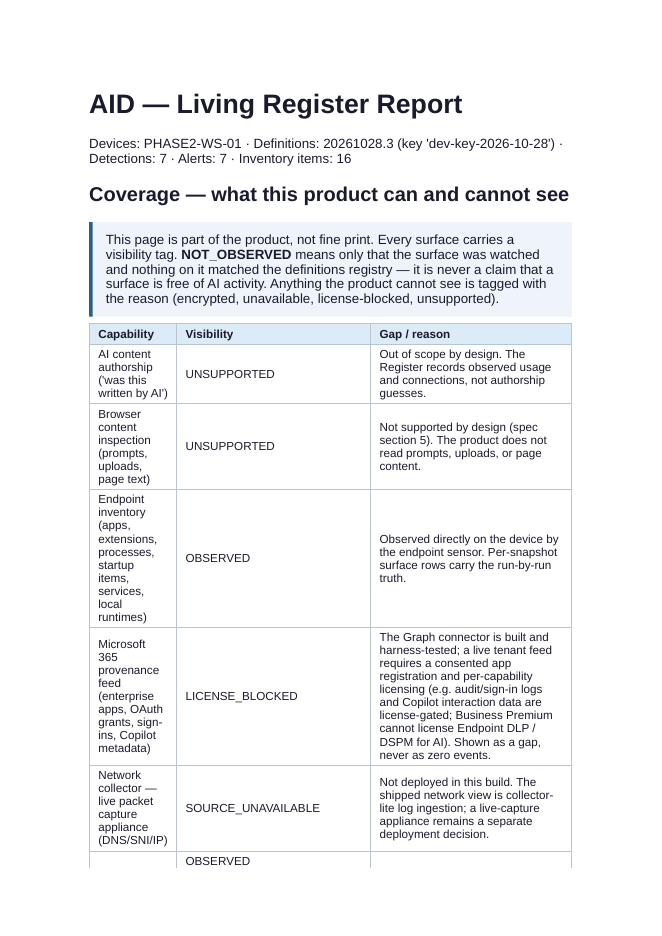
The actual product, in testing. Every surface carries a visibility tag — what was observed, and what could not be seen, with the reason stated.
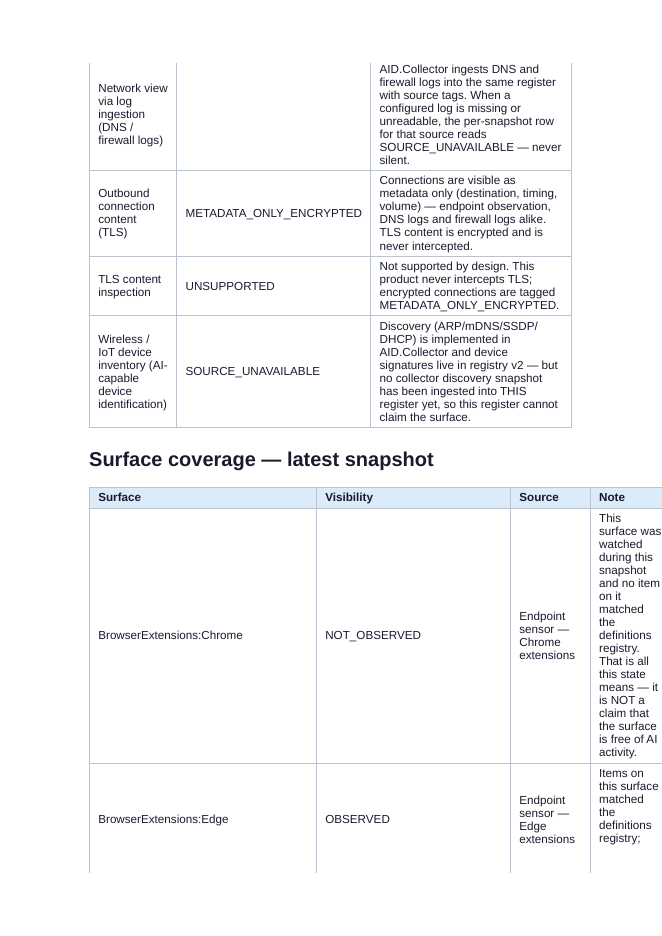
Each surface is named with its evidence source. A surface that was watched and matched nothing says so — it is never reported as “clean.”
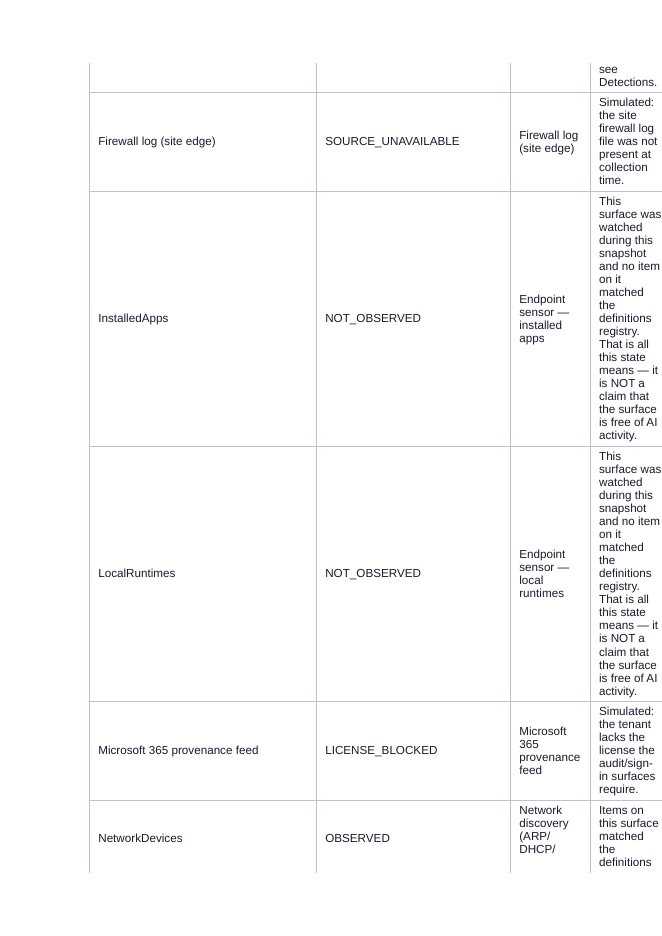
Detection detail from a live test run: what matched the definitions registry, where, and at what severity — the evidence, not a score.
It watches from the network, the device, and the platform — and every entry is tagged with where its evidence came from. Gaps are marked as gaps.
Sees the connections — which devices talk to which AI services, and when. Gathered from the wire, DNS, and firewall logs. Never from inside the traffic.
Lives on the machine. Inventories installed AI apps, browser extensions, running processes, startup items, services, and local AI runtimes — observed directly, on the device.
Microsoft 365 and Entra ID bring the cloud side: enterprise apps, sign-ins, and Copilot interaction metadata — the AI activity that never touches a local file.
OBSERVED — seen directly, source named·METADATA ONLY — connection seen, content encrypted·NOT OBSERVED — watched, nothing matched — never “clean”·GAP — unavailable or license-blocked, marked as a gap
It never reads your prompts or your files. It isn’t AI. It’s definitions, rules, and correlation — updated like antivirus definitions, signed and delivered daily.
The same detective, the same register, the same standard of evidence — sized to the ground it has to cover.
A detective who flags the same cleared suspect every morning helps no one. Approve a tool once — the decision is kept, and kept on the record.
An AI tool your business chooses to allow gets approved a single time — by you, on purpose. Never by default.
Every approval carries who approved it, when, and the scope of what was approved. The knowledge base is the receipt.
Approved tools are recognised across your environment and stop being flagged. Everything not on the list still is.
Change your mind and the approval comes off the record — the tool goes back under watch from that moment.

No exotic setup. Shadow Detective is part of the Henschel Shield Protection suite and deploys into the environments businesses already run.
Delivered through Microsoft Intune and surfaced in the Company Portal — the same channel as the rest of your business software.
Built for Microsoft Entra ID tenants, equally at home with on-premises Active Directory and Exchange — plenty of real businesses still run both.
AI Hardening options inside the product, machine by machine — tightened so the same shadow tools don’t walk back in through the same open door.
One protection suite under Henschel Shield Protection — including Field DHCP network discovery, so even the devices nobody logged get found and listed.
planted AI tools in the live-fire demo — caught, at the right severity
false alarms on ordinary software — the everyday tools were left alone
automated checks behind the current build — run, recorded, repeatable
FROM THE ACTUAL BUILD — PRIVATE TESTING, OCTOBER 2026

Shadow Detective is in private testing. Join the early list and you’ll hear when the first cases open — for small business, for enterprise, and for the MSPs who protect them.
It’s your business. You have a right to know.
for local it needs — henschel technologies·henscheltech.com·855-it-problem